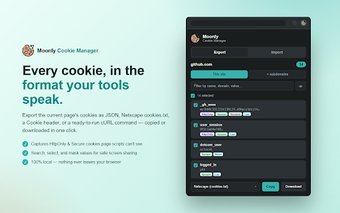
Moonly - cookie manager: precise cookie editing and export tools
Moonly - cookie manager, from Moonly Software B.V., is a minimalist Chrome extension for inspecting and modifying browser cookies during development and testing. It lets users view, edit, create, and delete cookies for active sites while offering real-time search and a scope toggle to narrow results. Key capabilities emphasize import and export workflows for session transfer and targeted cookie editing. Web developers, QA testers, and privacy-conscious power users gain precise session control without remote servers.
What is Moonly used for?
Moonly targets technical workflows that require exact session manipulation, such as debugging authentication or reproducing bugs across environments. The extension exposes cookie metadata and supports site-scoped operations, which helps engineers reproduce specific states during testing. Its design privileges developer tasks over casual browsing aids, focusing on reproducible session edits and controlled cookie changes rather than general browsing enhancements.
Does Moonly protect my session data?
Moonly follows a privacy-first model: it contains no analytics, no network code, and does not store data remotely, keeping cookie handling inside the browser. The extension uses the Chrome Cookies API to surface cookies that page scripts cannot reach, which is useful for auditing HttpOnly and Secure entries while retaining local-only control over session data.
How does Moonly support developer workflows and session migration?
Export and import tools are the extension's practical center for developers. Moonly can export cookies as JSON, Netscape cookies.txt, Cookie header strings, or as a ready-to-run cURL command, producing artifacts usable in command-line tools and automated scripts. Import capabilities let testers paste cookies back to restore or move logged-in sessions between profiles, browsers, or machines for repeatable test setups.
How light is Moonly during testing and use?
The developer describes the code as clean and auditable, intended to keep the extension lightweight and responsive during inspection tasks. Real-time search and filtering speed locating specific cookies, and cookie value masking supports safe screen-sharing. Themes follow system preferences, so the UI adapts to light or dark modes without additional configuration.
Clear, niche tooling for technical users who need direct cookie control
Moonly is a pragmatic choice for developers and QA engineers who require precise, local cookie management and session portability; its focus on export formats and local operation serves repeatable testing workflows. Users seeking broad browsing enhancements should consider general-purpose browser tools instead. Install Moonly on the Chromium browser you use for testing to maintain consistent behavior across environments; user feedback notes a clean interface and focused utility.